

Premium beats Ultimate on transfer
Eight terabytes a month against six, even though the Ultimate carries twice the cores and eighty more gigabytes of disk. If your workload moves data rather than computing on it, the cheaper plan is the better plan.
Loading HstockPlus
(2 products)
Buy VPS hosting as nine Windows VPS RDP plans. Each title lists memory, vCPU, NVMe and monthly bandwidth. Memory runs from 1 GB to 32 GB, cores from one to eight, disk from 25 GB to 400 GB.
Seven plans from one supplier climb in a straight line, and the titles do the comparison for you.
| Plan | Memory, cores, disk and bandwidth |
|---|---|
| Starter | 1GB DDR4, 1 AMD vCPU, 25GB NVMe, 1TB a month. The entry rung, and the one with the most orders behind it. Sellers point it at light automation, remote desktop use and testing. |
| Basic | 2GB DDR4, 1 vCPU, 50GB NVMe, 2TB a month. Twice the memory and disk of the Starter on the same single core, which is the cheapest way to stop a one gigabyte box from swapping. |
| Pro | 4GB DDR4, 2 vCPUs, 80GB NVMe, 4TB a month. The first plan with a second core, which matters more than the extra memory if you run two things at once. |
| Business | 8GB DDR4, 2 vCPUs, 100GB NVMe, 5TB a month. Memory doubles again while the core count holds, so this is a rung for memory-hungry work, not parallel work. |
| Premium | 16GB DDR4, 4 vCPUs, 200GB NVMe, 8TB a month. The highest bandwidth allowance on the whole page, which is easy to miss because it is not the largest plan. |
| Ultimate | 16GB DDR4, 8 vCPUs, 320GB NVMe, 6TB a month. Same memory as the Premium with double the cores and more disk, but a smaller transfer allowance. |
| Monster | 32GB DDR4, 8 vCPUs, 400GB NVMe, 10TB a month. The top of the ladder on every number at once. |
Two rungs do not behave the way their position suggests, and both are worth knowing before you assume bigger means bigger.
Eight terabytes a month against six, even though the Ultimate carries twice the cores and eighty more gigabytes of disk. If your workload moves data rather than computing on it, the cheaper plan is the better plan.
Premium and Ultimate hold the same memory. What separates them is four cores against eight, so pay the difference only if something you run is parallel.
Starter and Basic share a single vCPU. Moving from one gigabyte to two buys headroom, not speed, and anything CPU-bound needs the Pro rung instead.
There is no slower storage tier hiding at the bottom of the range. Even the Starter is a VPS with NVMe storage, so the disk figure is capacity instead of a quality signal.
Nine listings, two suppliers, and the difference shows up in how the server reaches you and how long the warranty runs.
Those listings are delivered automatically, which is why the replacement window on them is measured in minutes and not days. Log in over RDP as soon as the credentials land.
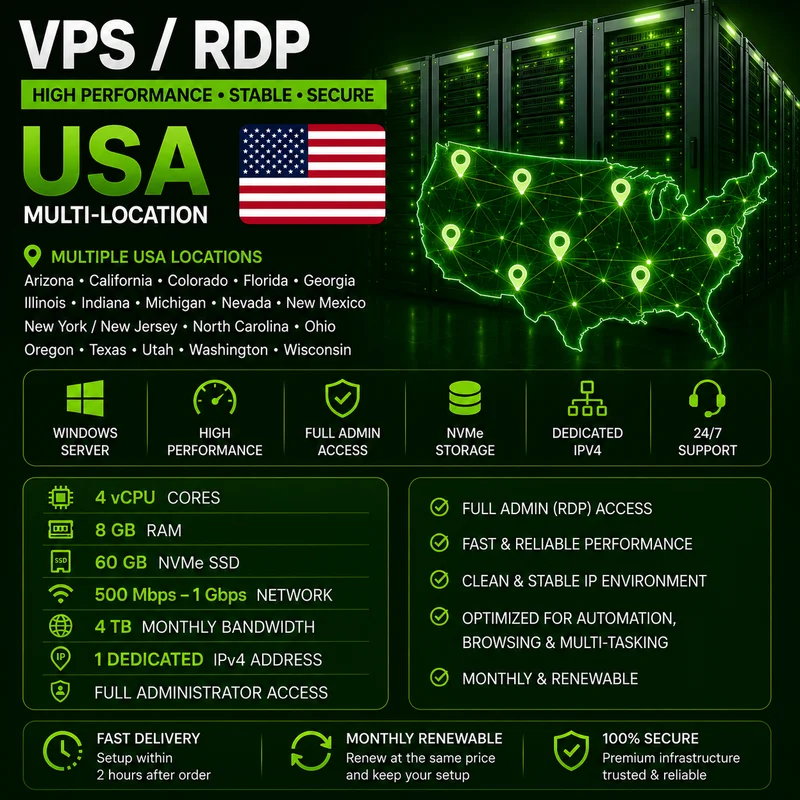
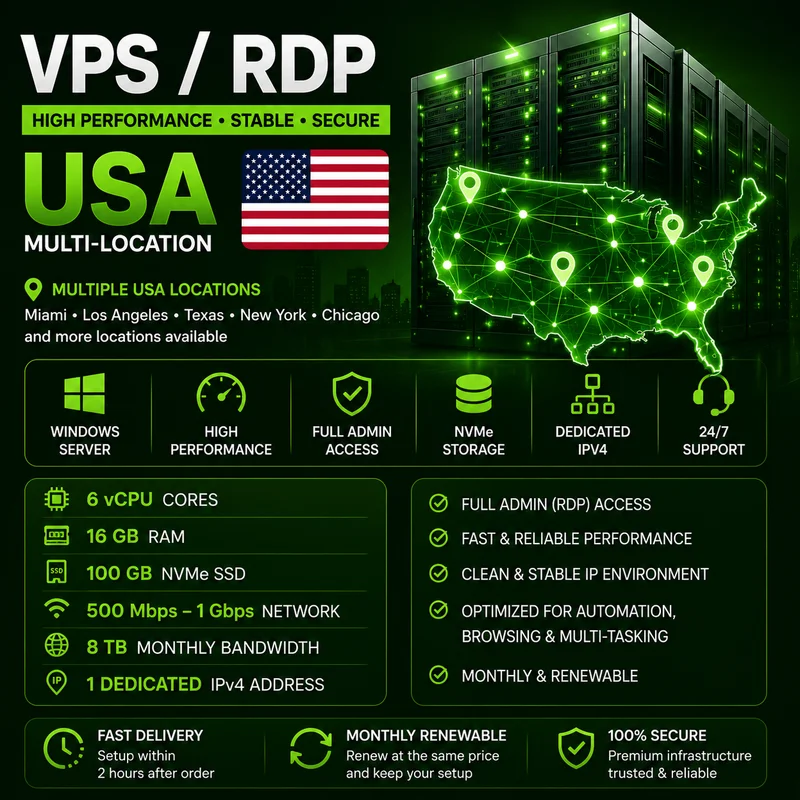
The Standard at 4 vCPU, 8GB and 60GB NVMe and the Premium at 6 vCPU, 16GB and 100GB NVMe are manual. The seller quotes delivery within roughly two hours of payment confirmation and attaches a thirty day window.
Five hundred megabits to one gigabit, with four and eight terabytes of monthly transfer. The ladder listings state bandwidth but not line speed, so this is the only place a throughput figure appears.
Both manual plans are described as monthly renewable at the price you started on, keeping the existing configuration. The automatic ladder does not make that commitment.
Location is selected at order time instead of being fixed by the plan, and the two families offer very different maps.
The seven automatic plans offer New York, San Francisco and Atlanta in the United States, Amsterdam, London and Frankfurt in Europe, Singapore, Bangalore and Sydney across Asia-Pacific, and Toronto in Canada.
Those two are USA VPS hosting only, spread across a long list of states. The Premium names Miami, Los Angeles, Texas, New York, Chicago and Georgia, and the Standard covers eighteen states including Arizona, Florida, Ohio, Oregon and Washington.
The ladder offers Windows Server 2019 or 2022 at your choice. The manual pair widens that to 2012 R2, 2019, 2022 and 2025, with 2019 named by the seller as the compatible default.
Since the region is an order-time selection rather than a separate product, say which one you want when you order instead of assuming a default and asking for a move later.
Every listing on the page sells the same access level, and it is the reason to buy a virtual private server plan, not shared hosting.
The descriptions are specific about intended workloads and equally specific about what will get a server pulled.
Light automation, remote desktop access, small web projects, testing and development on the entry rungs, moving up to automation software, business applications and heavy multitasking on the larger plans.
Spam, phishing, mass mailing, abusive activity and anything illegal are ruled out in writing on the manual plans. That is a condition of the service instead of advice, so a mail-heavy workload belongs elsewhere.
Most buyers on this page overspend on disk and underspend on memory. Work out what has to stay resident, pick the rung that holds it, and only then decide whether you need four cores or eight.
Connect over RDP the moment the details arrive, confirm the specs match the title and that the IP responds. On the automatic plans that window is short, and on the manual pair it runs thirty days.
Quick answers about this category. Expand a question to read the full answer.
Memory, cores, NVMe capacity, bandwidth allowance and deployment location.
